Phone Not Charging? 12 Easy Fixes That Actually Work

Is your phone refusing to charge? That sinking feeling when you plug in your device and nothing happens is all too familiar. Before you rush to buy a new phone or visit a repair shop, try these 12 proven fixes. I've tested these solutions on hundreds of phones in my repair experience, and most charging problems can be solved in under 10 minutes.
Why Won't My Phone Charge? Common Causes
Phone charging issues usually stem from these five culprits:
- Faulty charging cable or adapter (Most common - 40% of cases)
- Dirty charging port (30% of cases)
- Software glitches (15% of cases)
- Battery health issues (10% of cases)
- Hardware damage (5% of cases)
The good news? The first 8 fixes on this list require no technical skills and cost nothing. Let's start troubleshooting.
The 12 Step-by-Step Fixes
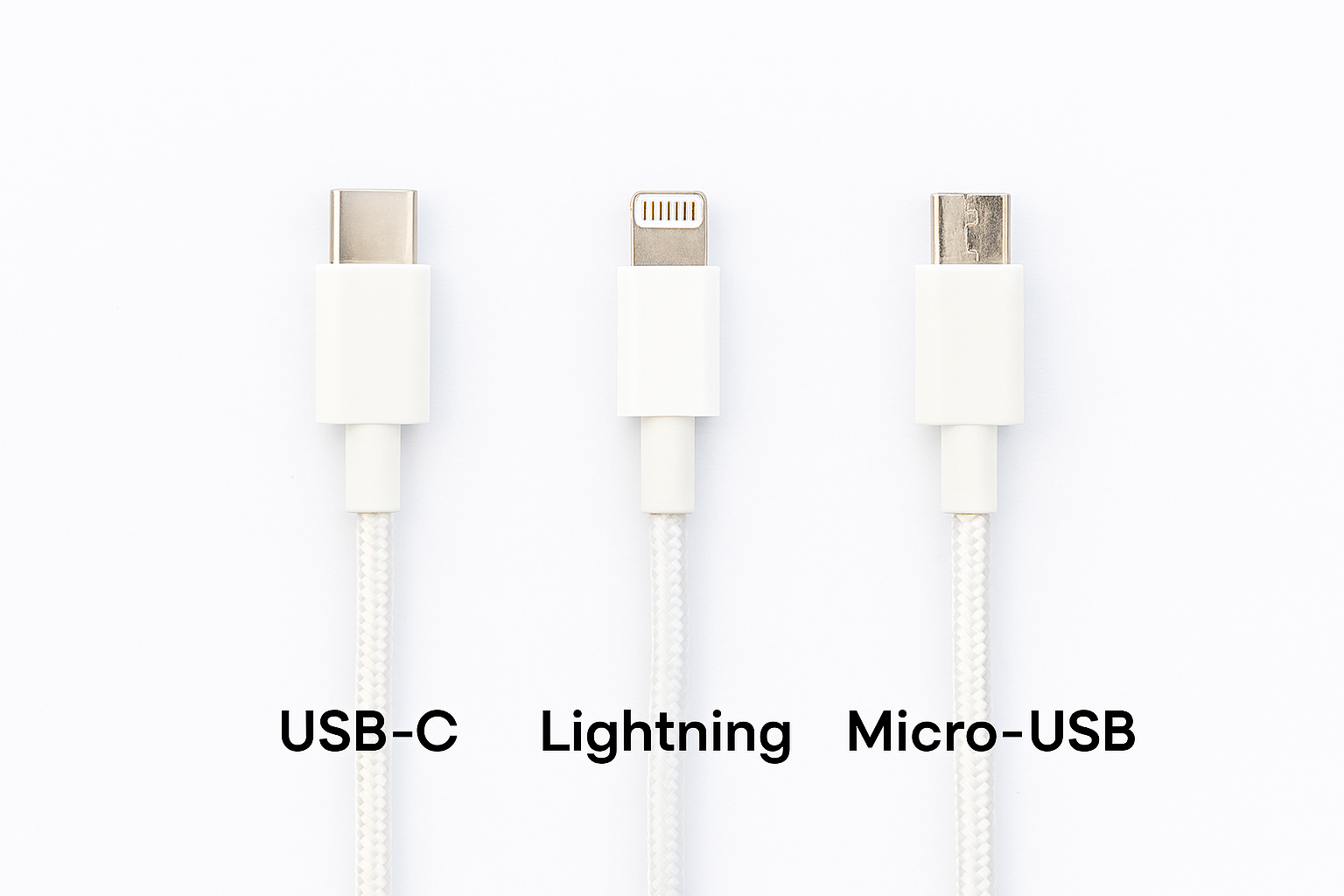
This is always step one. Cables fail more often than any other component. If you don't have another cable, inspect yours:
- Check for fraying or bent connectors
- Look for dirt/debris in the cable ends
- Try wiggling the cable near the ends - intermittent connection means it's failing
Pro Tip: USB-C cables fail more often than Lightning cables due to their design. Always try an original manufacturer cable if possible.
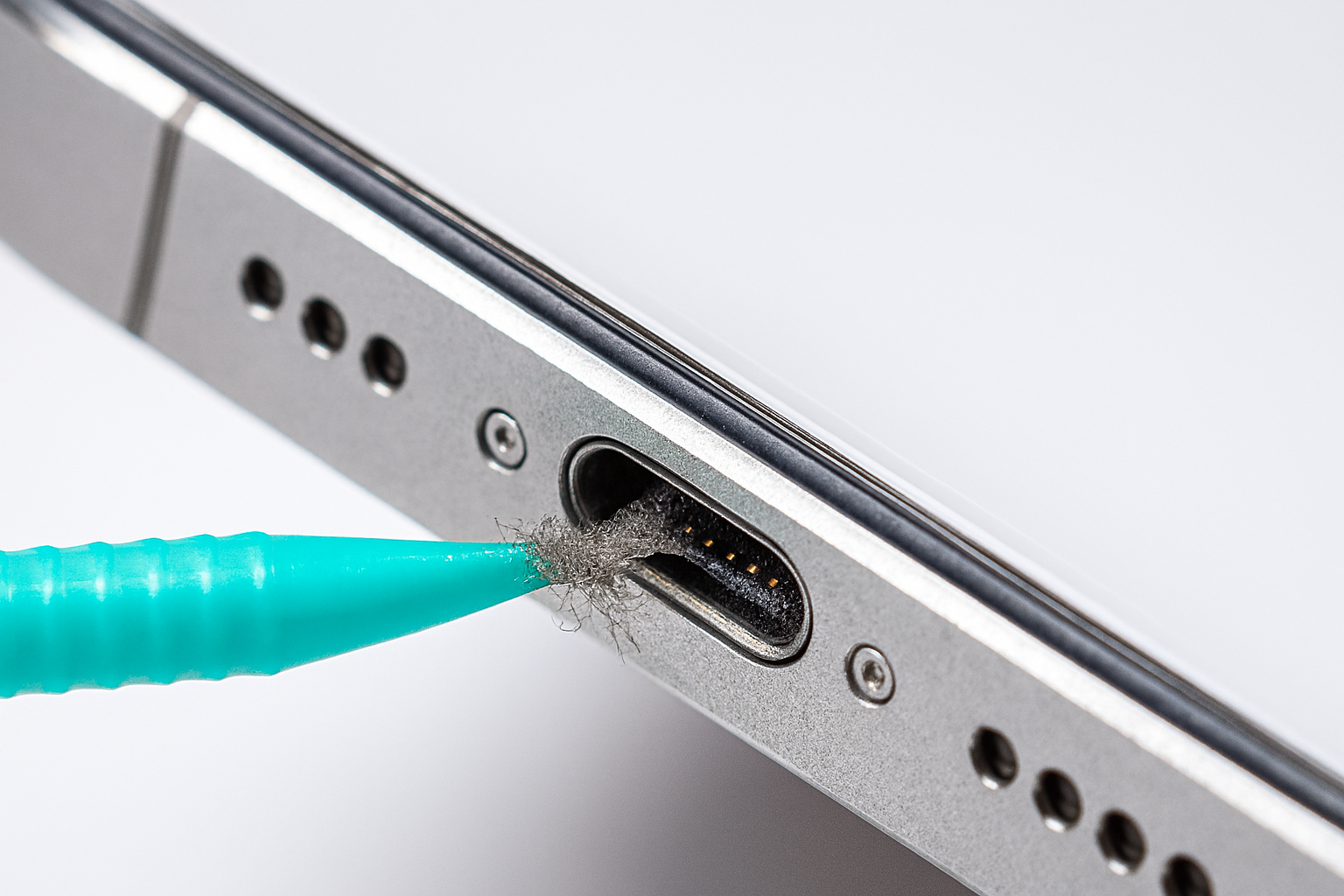
Your charging port collects lint, dust, and debris every day it's in your pocket. Here's how to clean it safely:
- Power off your phone (safety first!)
- Use a toothpick or plastic dental pick - NEVER metal
- Gently scrape around the port edges
- Blow into the port or use compressed air
- Check with flashlight - you should see shiny contacts
Fix 3: Restart Your Phone - Clears temporary software glitches that prevent charging.
Fix 4: Check Power Source - Try a wall outlet instead of computer USB, avoid power strips.
Fix 5: Remove Phone Case - Thick cases can prevent proper cable insertion.
Fix 6: Check for Software Updates - Apple and Google regularly fix charging bugs in updates.
Fix 7: Try Wireless Charging - If supported, wireless charging bypasses port issues entirely.
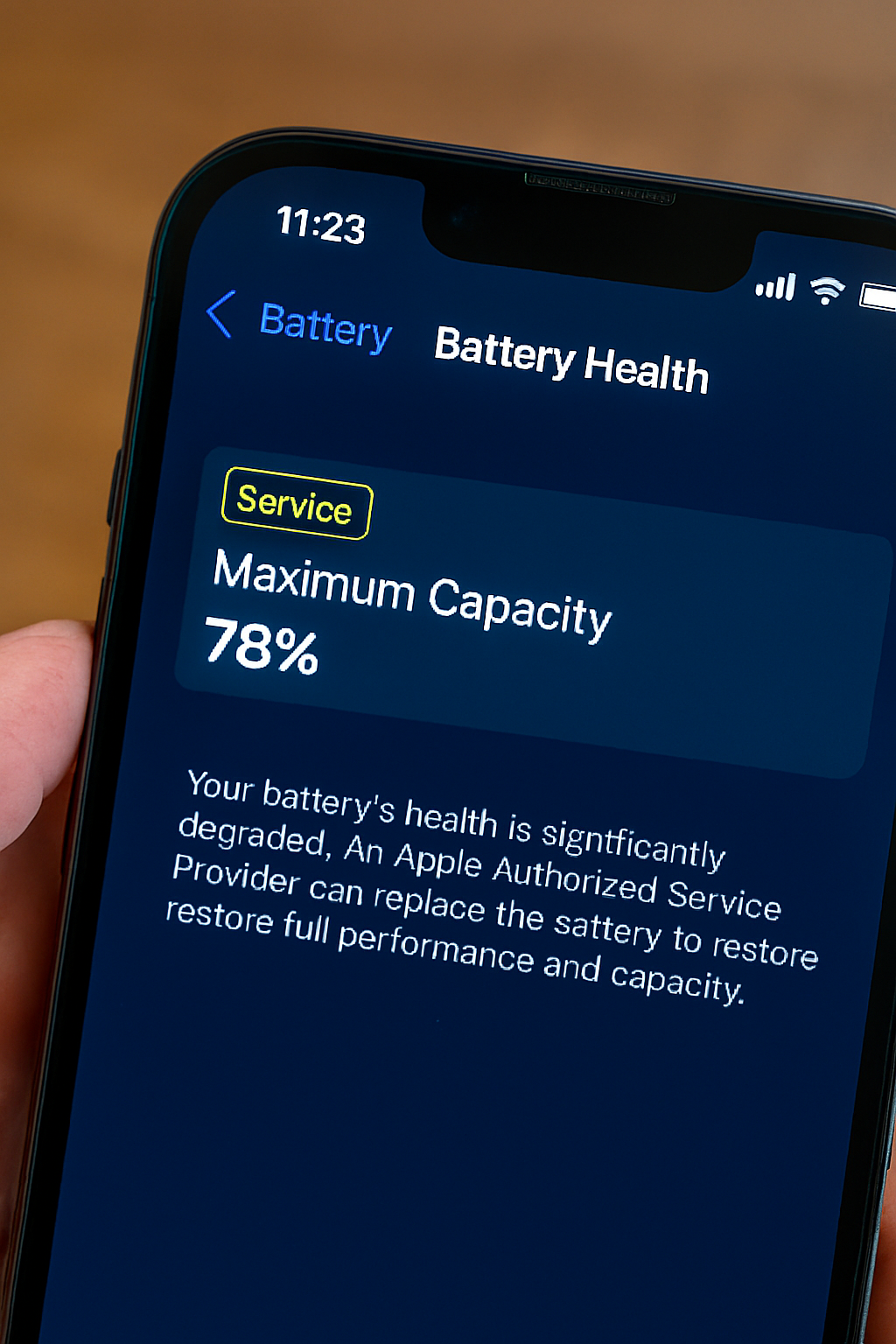
For iPhone:
Settings → Battery → Battery Health
• Below 80%: Battery needs replacement
• "Service" message: Immediate replacement needed
For Android:
Dial `*#*#4636#*#*` → Battery Information
Or use AccuBattery app from Play Store
Fix 9: Force Restart (Hard Reset) - Clears deeper system caches than normal restart.
Fix 10: Check for Moisture Detection - Modern phones disable charging if liquid is detected.
Fix 11: Try Safe Mode (Android Only) - Eliminates third-party app interference.
Fix 12: Reset All Settings - Last resort before repair shop (doesn't delete data).
When to Seek Professional Help
If none of these 12 fixes work, you likely have:
- Failed charging port ($50-100 repair)
- Dead battery ($50-80 replacement)
- Logic board issue ($150+ repair)
Red flags needing professional repair:
- Phone charges only at specific angles
- Intermittent charging/uncharging
- Phone gets hot while charging
- Visible port damage/bent pins
Quick recommendation: Check out our guide on how to choose a reliable phone repair shop before visiting anyone.
Frequently Asked Questions
Still Having Issues?
If your phone still won't charge after trying all 12 fixes, you might have a hardware problem. Check out our guide to finding reputable repair shops or ask our community for help with your specific model.
Related reading:
• iPhone Battery Draining Fast? 10 Fixes
• Best Portable Chargers for Travel
• Is Wireless Charging Worth It?
You Might Also Like
Final Thoughts
Most phone charging problems are simple fixes that don't require technical expertise or expensive repairs. Start with the basics (cable, port, restart) before assuming the worst. Your phone is probably not dead—just needing some simple troubleshooting!
Remember: Regular maintenance like cleaning your charging port monthly and using certified cables can prevent most charging issues before they start.
💡 Pro Tip: Keep a spare charging cable at work, in your car, and in your bag. Cable failure is the #1 reason phones stop charging, and having a backup can save you in emergencies.